Guides · 8 min read · 2026-10-12
Best USB-C Hub and Dock for a Desk Setup
A slim USB-C hub is enough for one display and a few peripherals. A Thunderbolt dock earns its keep when you need dual monitors, Ethernet, and ~100W charging on one cable. Here is how to choose.
Quick picks
Best everyday hub
Anker USB-C Hub 7-in-1 (4K@60Hz HDMI)
7-in-1 with 4K@60Hz HDMI, SD/TF, USB-A/C data, and ~85W PD pass-through in a travel-friendly body.
Budget hub
UGREEN USB C Hub 5 in 1 Multiport USB Adapter 4K HDMI
5-in-1 with 4K HDMI, 100W USB-C PD, one 5 Gbps USB-A, and two 480 Mbps USB-A ports. Compact grey shell.
Best Thunderbolt dock for most
Plugable Thunderbolt 4 Dock (TBT4-UD5)
13-port Thunderbolt 4 dock: dual 4K@60Hz (or single 8K class), Ethernet, SD/microSD, ~100W charging.
Premium max-port dock
CalDigit TS4 Thunderbolt 4 Dock
Flagship 18-port Thunderbolt 4 dock with 2.5GbE, ~98W charging, and dense TB4/USB-C/USB-A I/O.
Dual HDMI dock alternative
Anker Laptop Docking Station Dual Monitor
8-in-1 USB-C hub with dual HDMI, Ethernet, microSD/SD, USB-A, and up to 85W PD pass-through.
1. Best everyday hub
Anker USB-C Hub 7-in-1 (4K@60Hz HDMI)
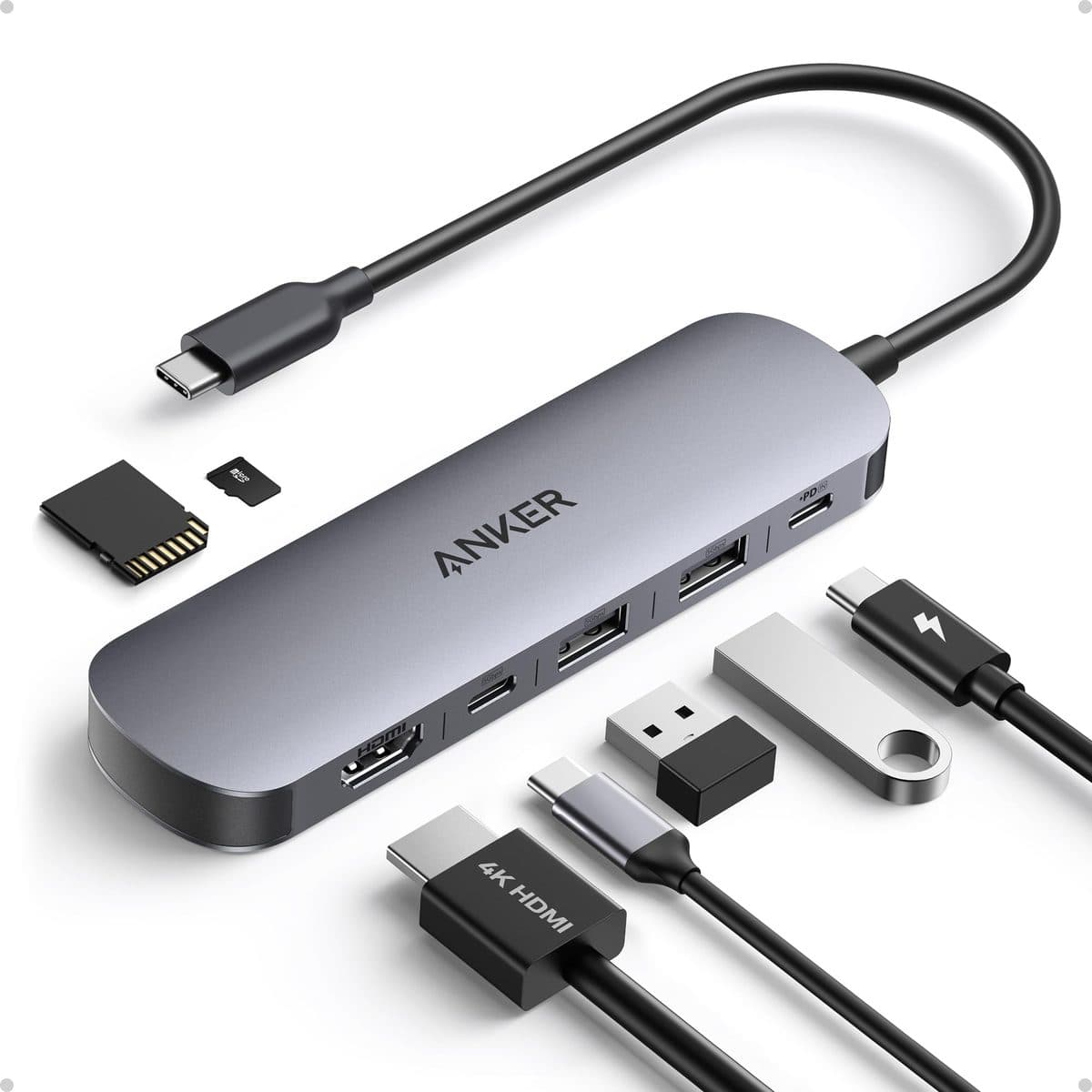
For a single-monitor laptop desk, the Anker 7-in-1 is the everyday pick. It packs HDMI at 4K@60Hz, USB-A/C data, SD/TF readers, and up to about 85W PD pass-through without the size or price of a Thunderbolt dock. Bandwidth is shared under heavy load, video is single-output only, and the wall charger is sold separately — but if you need HDMI plus USB plus cards in a bag or on a simple desk, this is the right class of product.
Pros
- Affordable everyday USB-C expansion
- 4K@60Hz HDMI for a single external display
- PD pass-through keeps the laptop charging (~85W class)
- SD/TF slots for creators and photographers
Cons
- Single video output — not a dual-monitor dock
- Wall charger sold separately
- Bandwidth shared across ports under heavy load
Best for: Laptop users who need HDMI + USB + cards without buying a Thunderbolt dock.
2. Budget hub
UGREEN USB C Hub 5 in 1 Multiport USB Adapter 4K HDMI
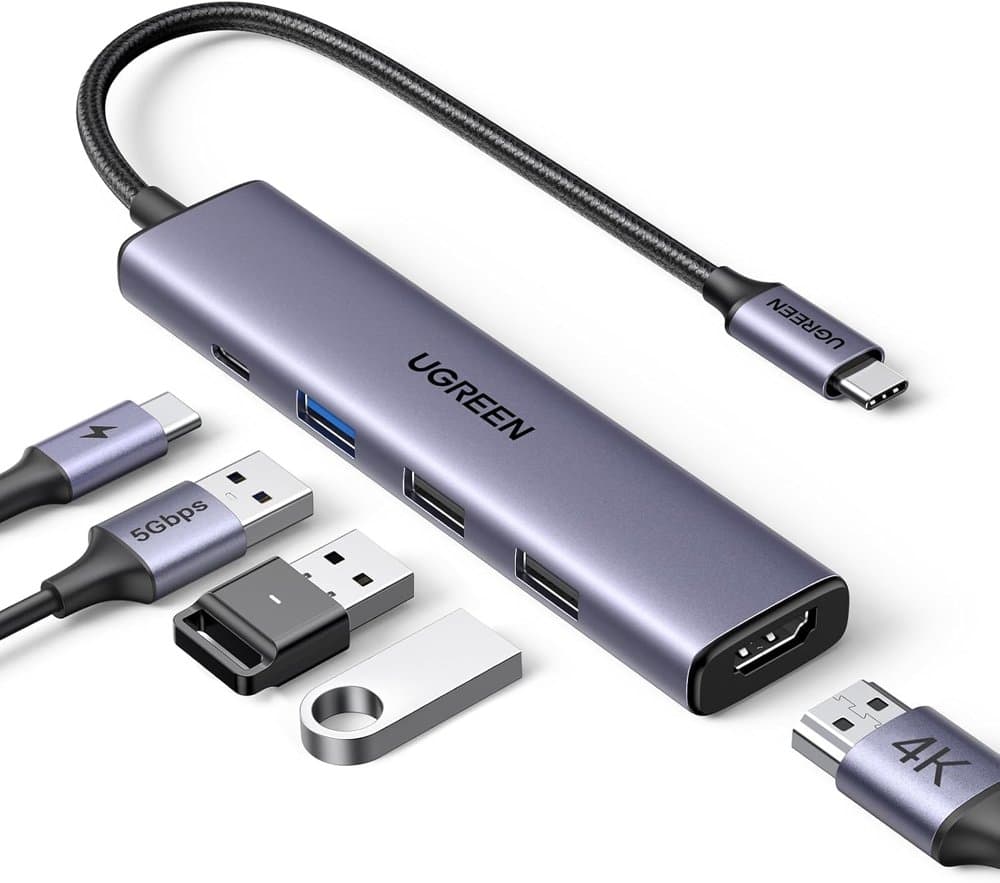
UGREEN’s 5-in-1 is the budget path when you mainly need HDMI and a few USB-A ports. The listing specs a 4K HDMI port, a 100W USB-C PD port, a 5 Gbps USB-A data port, and two 480 Mbps USB-A ports in a plug-and-play portable body (about 91 g). It does not include SD/TF like the Anker 7-in-1. Confirm the exact variant before you buy.
Pros
- 4K HDMI plus 100W USB-C PD on a budget hub
- One 5 Gbps USB-A and two 480 Mbps USB-A ports
- Light (91 g) and portable plug-and-play form
Cons
- No SD/TF readers (unlike the Anker 7-in-1)
Best for: Shoppers who want a cheap 4K HDMI + PD hub and do not need card readers.
3. Best Thunderbolt dock for most
Plugable Thunderbolt 4 Dock (TBT4-UD5)
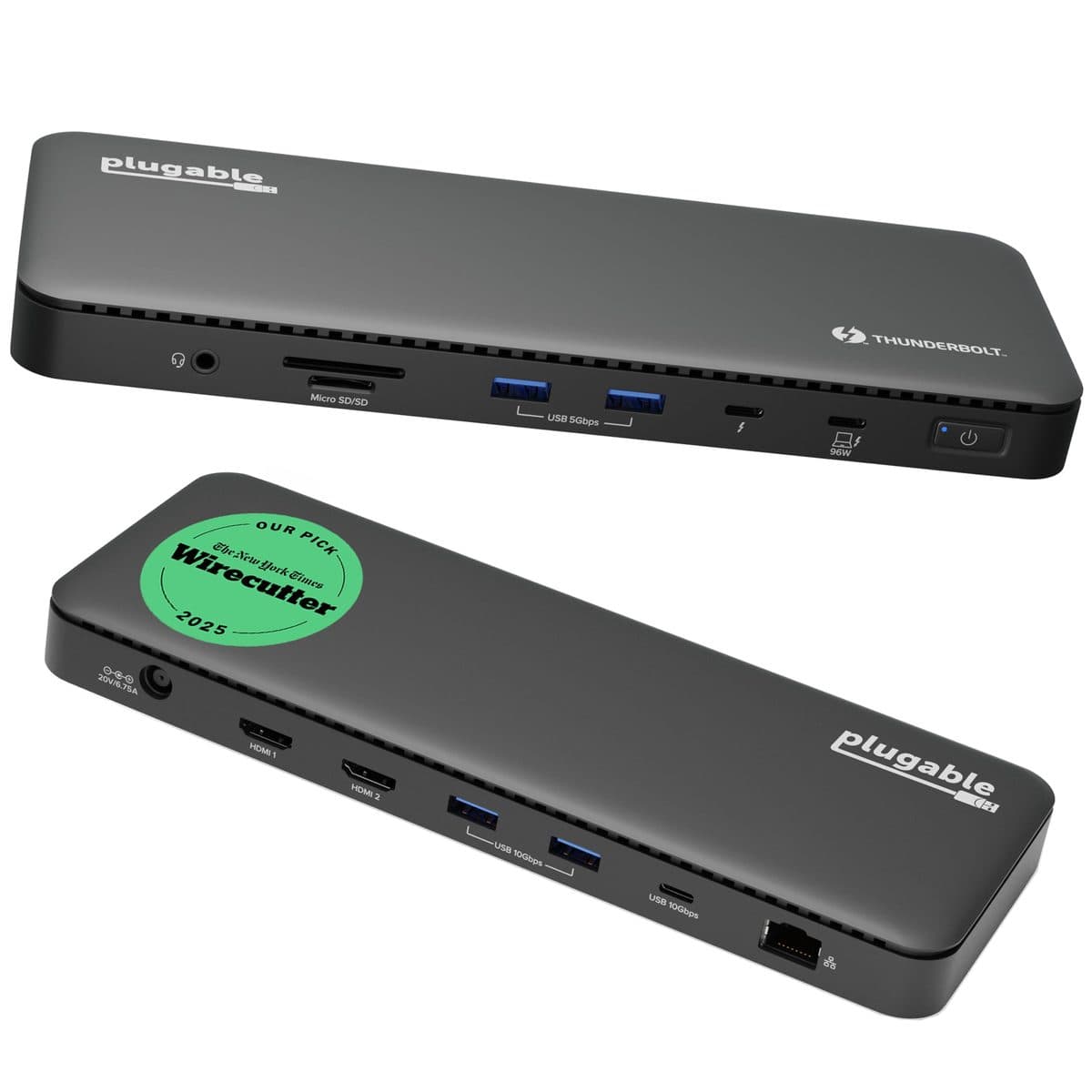
When a slim hub is no longer enough, Plugable’s TBT4-UD5 is the Thunderbolt dock most desks should start with. True Thunderbolt 4 bandwidth supports dual 4K@60Hz (or a single 8K-class display), plus Ethernet, SD/microSD, and about 100W laptop charging. It needs a Thunderbolt / USB4 host port, takes more desk space than a hub, and costs more than basic HDMI hubs — but for dual monitors, Ethernet, and power on one cable, this is the mid/premium sweet spot.
Pros
- True Thunderbolt 4 bandwidth for dual displays
- High-wattage laptop charging (~100W / 96W certified class)
- Ethernet + card readers for office desks
- Strong Windows and Mac compatibility story
Cons
- Needs a Thunderbolt / USB4 capable host port
- Larger footprint than a slim hub
- Price jumps vs basic HDMI hubs
Best for: Desk workers who connect dual monitors, Ethernet, and power through one Thunderbolt cable.
4. Premium max-port dock
CalDigit TS4 Thunderbolt 4 Dock
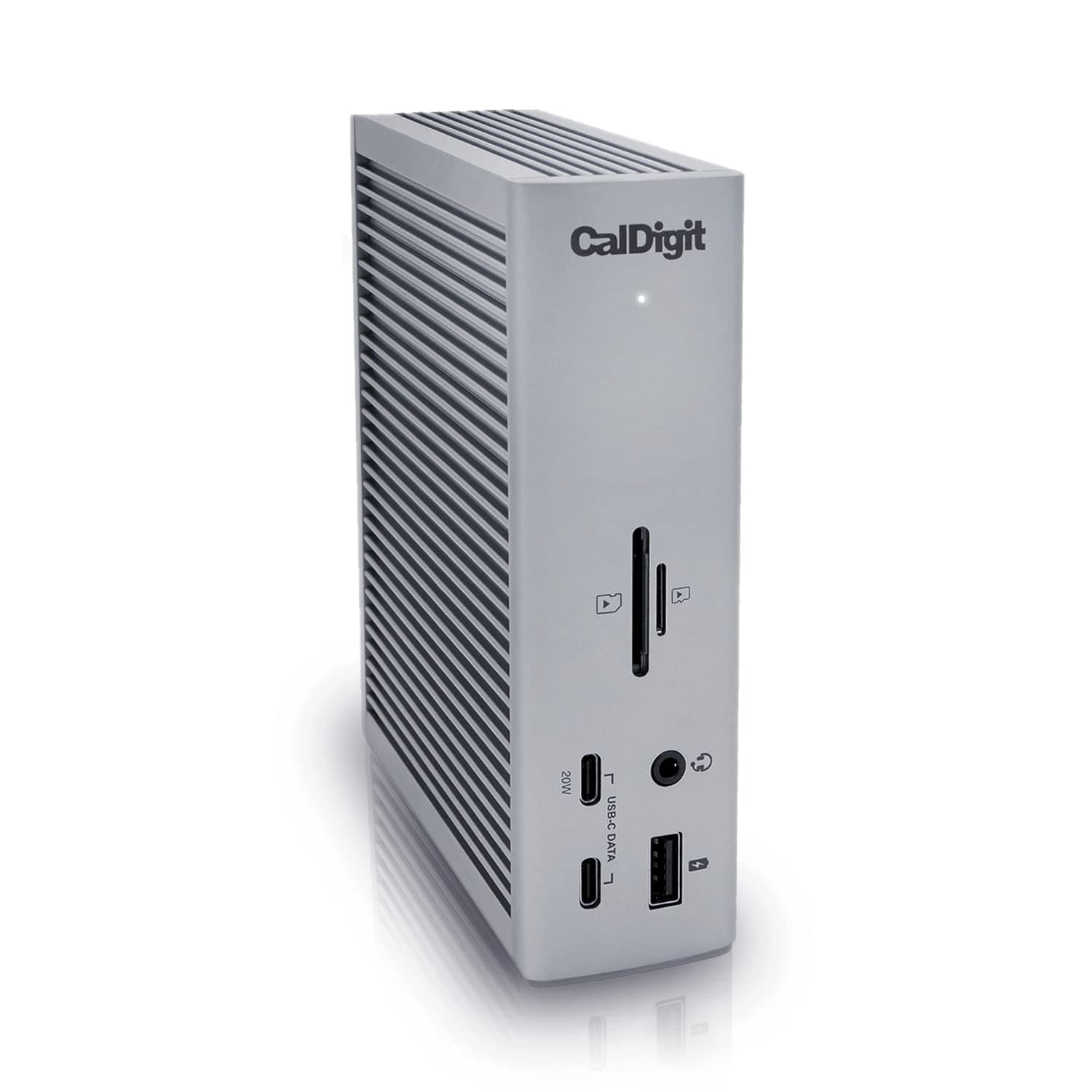
The CalDigit TS4 is the premium max-port choice when one cable has to run a serious multi-display, storage, and network desk. You get an 18-port-class layout, Thunderbolt 4 with strong multi-display support (up to dual 6K / 8K class, host-dependent), 2.5GbE networking, and about 98W charging. It is expensive versus Plugable or Anker, overkill for single-monitor travel kits, and still requires a compatible Thunderbolt 4 / USB4 host. Power users and creatives who want maximum ports pay for that density.
Pros
- Very high port count for complex desks
- Thunderbolt 4 with strong multi-display support
- Fast networking via 2.5GbE
- CalDigit’s pro/creative desk reputation
Cons
- Expensive vs Plugable / Anker options
- Overkill for single-monitor travel kits
- Requires a compatible Thunderbolt 4 / USB4 host
Best for: Power users and creatives who want maximum ports and displays from one premium dock.
5. Dual HDMI dock alternative
Anker Laptop Docking Station Dual Monitor
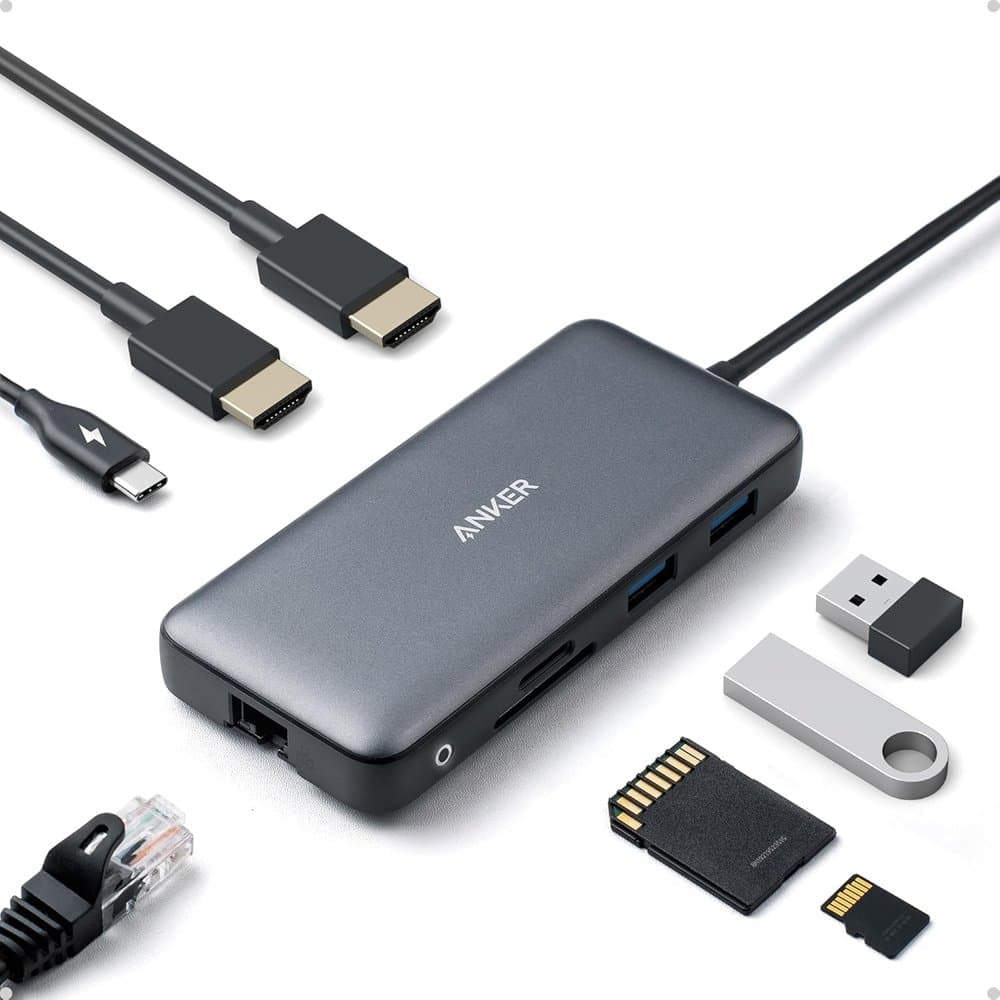
If you want two displays without a full Thunderbolt dock, Anker’s dual-monitor docking station is the HDMI-path alternative. Listing specs include a USB-C PD-IN port, two USB-A data ports, two HDMI ports, Ethernet, and a microSD/SD reader. One display can run 4K@60Hz; both HDMI ports together are listed at 4K@30Hz. Pass-through charging is up to 85W. Confirm host compatibility and the exact variant on the listing before you buy.
Pros
- Two HDMI ports for dual-display setups without Thunderbolt
- Ethernet plus microSD/SD card reader
- USB-C PD pass-through up to 85W
- Single display can stream at 4K@60Hz
Cons
- Dual HDMI together listed at 4K@30Hz, not 60Hz
Best for: Desks that need dual HDMI and Ethernet without committing to Thunderbolt 4.
How to choose
- Hub vs full dock
- A compact hub (Anker 7-in-1, UGREEN 5-in-1) expands ports for one display and travel. A Thunderbolt dock (Plugable TBT4-UD5, CalDigit TS4) is for dual displays, Ethernet, card readers, and ~100W charging on one cable. Dual HDMI hubs sit in between when your laptop supports two displays over USB-C without Thunderbolt.
- Count your displays first
- One external monitor at 4K@60Hz: Anker 7-in-1 or UGREEN 5-in-1 is enough. Two monitors: prefer Plugable Thunderbolt 4 for dual 4K@60Hz, or Anker’s dual-HDMI hub if you accept 4K@30Hz on both. Confirm your laptop’s GPU and USB-C/Thunderbolt generation before you buy.
- Charging wattage
- Anker’s hubs list about 85W PD pass-through; UGREEN lists a 100W USB-C PD port; Plugable is ~100W (96W certified class); CalDigit TS4 is ~98W class. Match the dock’s pass-through to what your laptop needs under load, and remember some hubs ship without a wall charger.
- Host port matters
- Thunderbolt 4 docks need a Thunderbolt / USB4 capable host. A basic USB-C hub works on more laptops but shares bandwidth and usually drives only one display. If your machine only has USB-C without Thunderbolt, stay in the hub / dual-HDMI class.
Start with the display count, not the port list
Most single-monitor laptop desks are happier with a compact USB-C hub than a full dock. The Anker 7-in-1 covers HDMI at 4K@60Hz, data ports, SD/TF, and PD pass-through. Upgrade to Thunderbolt when you need dual 4K, Ethernet, and one-cable charging every day. We may earn a commission from qualifying purchases. Product links use our Amazon Associates tag deskworth20-20.
How to choose
One display, travel-friendly: Anker 7-in-1. Absolute lowest spend for HDMI + PD: UGREEN 5-in-1. Dual monitors plus Ethernet on Thunderbolt: Plugable TBT4-UD5. Maximum ports and 2.5GbE: CalDigit TS4. Dual HDMI without Thunderbolt: Anker dual-monitor docking station. Browse the full USB-C docks category before you commit.
Frequently asked questions
Do I need a Thunderbolt dock or is a USB-C hub enough?
A USB-C hub is enough for one external display, a few USB devices, and PD charging. Choose a Thunderbolt 4 dock when you need dual 4K@60Hz, Ethernet, denser I/O, and high-wattage charging on one cable — and your laptop has a Thunderbolt / USB4 port.
What is the best USB-C hub for a simple desk?
For most single-monitor desks, the Anker USB-C Hub 7-in-1: 4K@60Hz HDMI, SD/TF, USB data, and ~85W PD pass-through. On a tighter budget, the UGREEN 5-in-1 covers 4K HDMI and 100W PD without card readers.
Can I run dual monitors without Thunderbolt?
Sometimes. Anker’s dual-monitor docking station lists two HDMI ports (single display 4K@60Hz, or both at 4K@30Hz) plus Ethernet and card readers. Dual-display support still depends on your laptop’s USB-C graphics path — confirm compatibility on the live listing.
Why is the CalDigit TS4 so much more expensive?
You are paying for port density and networking: an 18-port-class Thunderbolt 4 layout, 2.5GbE, ~98W charging, and multi-display support aimed at pro desks. If you only need dual 4K and Ethernet, Plugable’s TBT4-UD5 is the more typical pick.